
Your door-to-door team, on one map
Give every rep the same live map of every door, a two-tap way to log what happened, and callbacks that actually get made. Team leads see their territory; you see everything.
Stop losing deals between the door and the follow-up
Paper sheets get lost, spreadsheets go stale, and reps double-knock each other's houses. Reachwise fixes all three.
Territories that stay clean
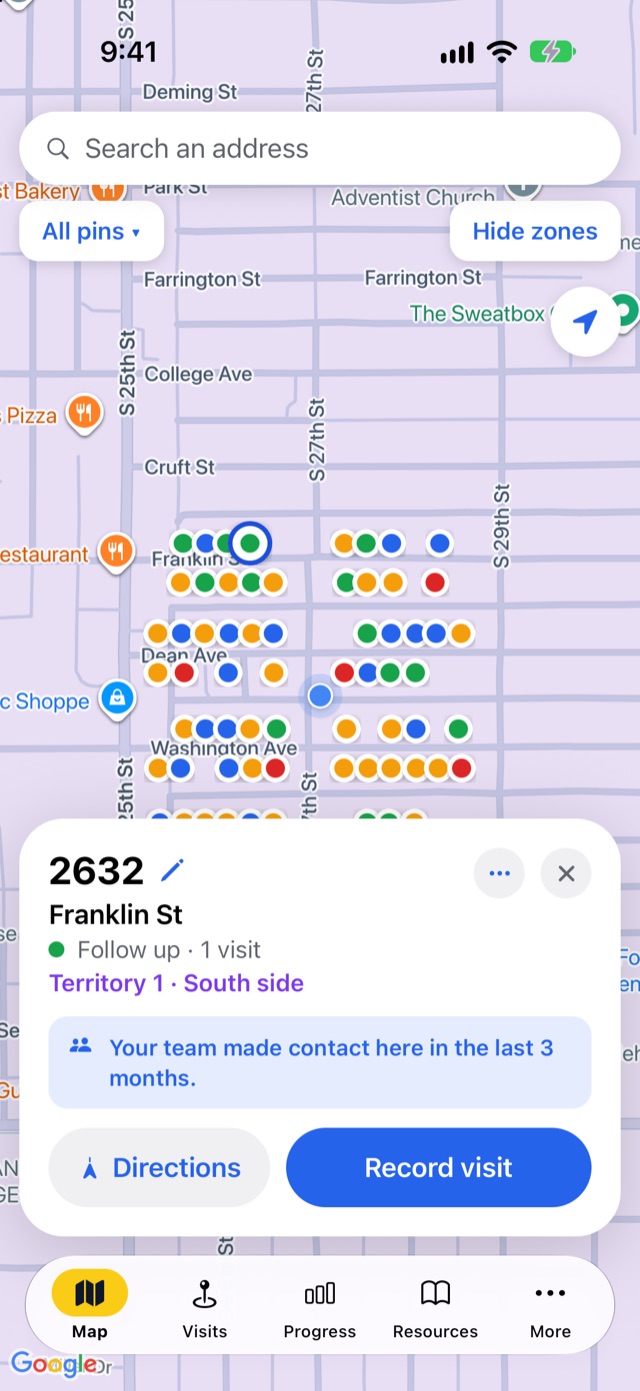
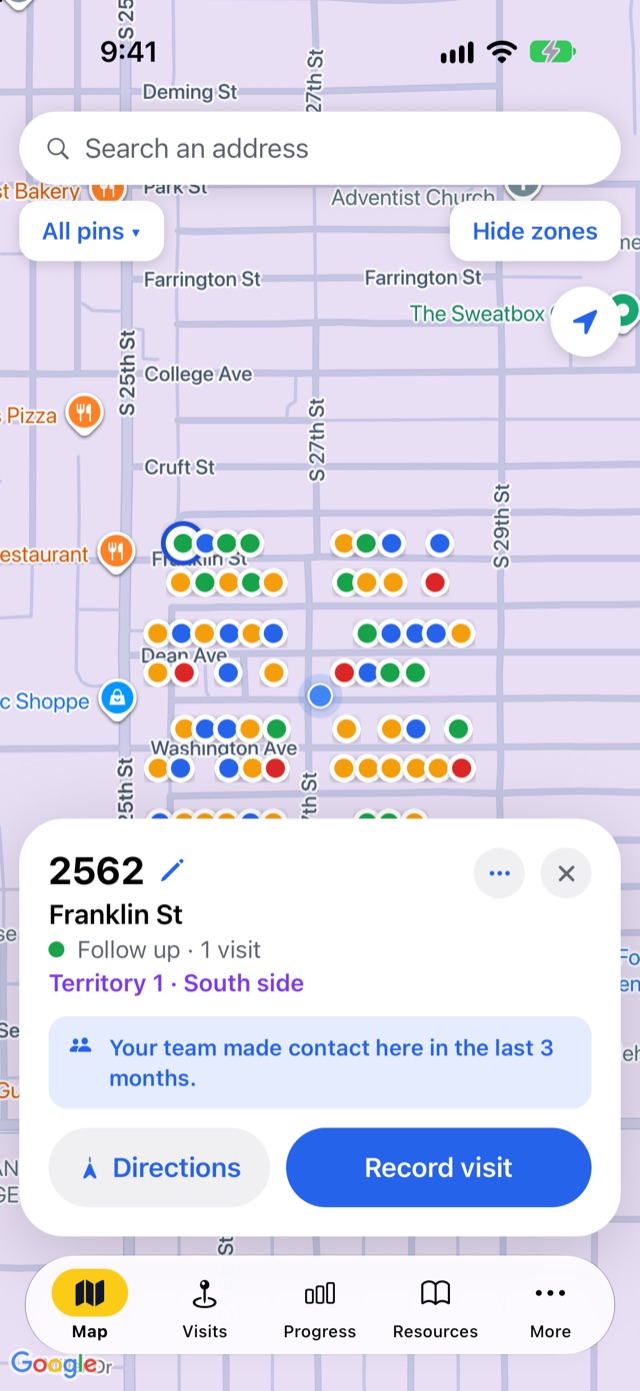
Draw territories on the map and give each a team lead. Reps see which territory they're in and every door already knocked.
Callbacks that happen
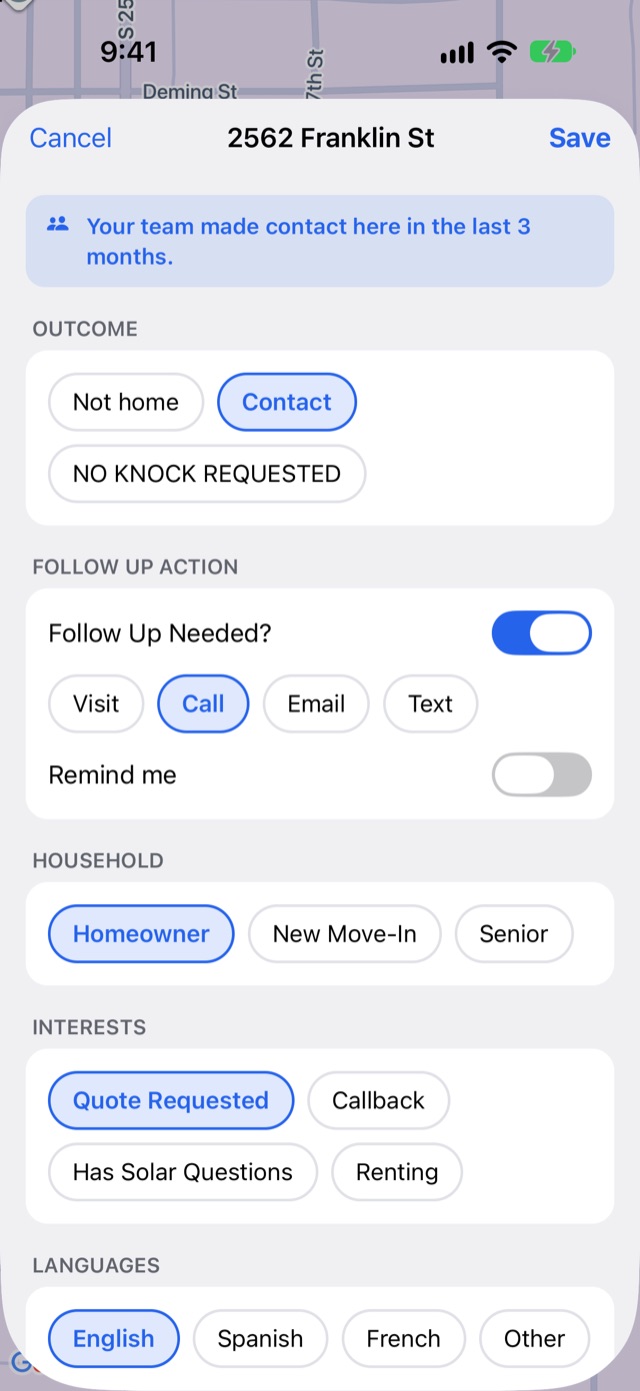
Mark a follow-up as a visit, call, email or text, set a reminder, and call or text straight from the house's page.
Your pipeline words
Make the tags your own: Quote Requested, Callback, Homeowner, Renting, or whatever your team tracks.
Respect no-soliciting
"No knock requested" turns a house red for the whole team, so nobody gets a second, angrier "no".
Daily door goals
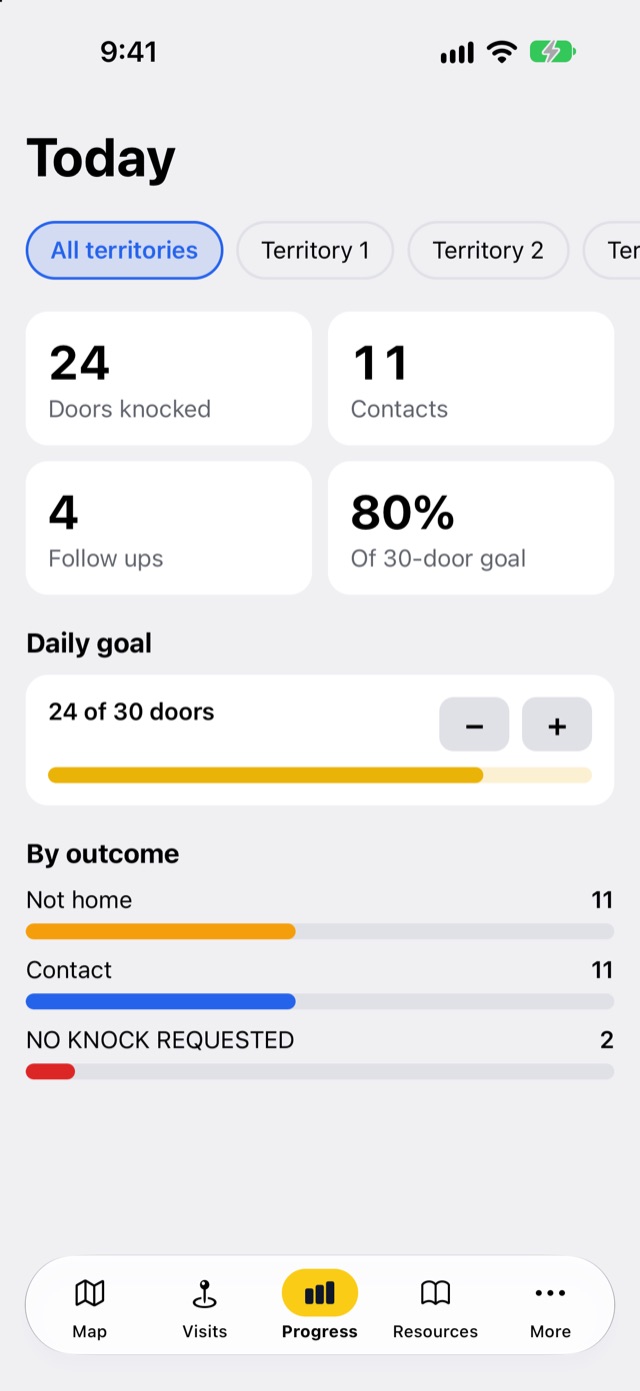
Reps and leads see doors knocked, contacts and follow-ups today against a goal, by territory.
No signal, no problem
Rural route or basement apartment, every visit saves on the phone and syncs later.
From the first knock to the booked appointment
Planned knocking routes
Build a rep's day from callbacks, no-answers or a territory, put the doors in the shortest walking order, and let them work it one door at a time. Every visit ticks a door off, live.
Appointments for your closers
Setters book the estimate at the door and hand it to a closer, who gets a reminder an hour before with directions, call and text in one place. Managers see appointments set today on Progress.
Log a door in two taps, then get back to selling
Not home, Contact or No knock requested. Add a callback, the household, what they're interested in and a note, then move on to the next house.
- Contact info with consentSave a phone number or email only when the homeowner offers it and agrees.
- A notice for repeat visitsReps see when the team already made contact at a house in the last three months.
- Directions in one tapSend any house to Apple Maps, Google Maps or Waze.
Know how today is going before anyone gets back to the office
Doors, contacts and follow-ups update live as reps record visits, with a daily goal and a breakdown by outcome and territory.
- Roles that fitDirectors see everything; team leads see their territories; reps see their own visits.
- Add reps in secondsShare an invite code; stop it when hiring season ends.
- Search every visitFind any address, note, tag or rep in the Visits tab.
Any team that sells or serves door to door
$19 per user a month. That's it.
$15 per user a month when you pay yearly. Every feature, no setup fee, 14-day free trial. Teams of 100 or more get a custom quote.
Questions sales teams ask
Can I import a list of leads or addresses?
Not today. Reachwise is built around the map: reps add each house with a long-press as they knock, and the address fills in by itself. If list import matters to your team, tell us; it helps us decide what to build next.
Does it connect to our CRM?
Not yet. Reachwise keeps your team's doors, visits and follow-ups in one place. Teams of 100 or more can ask about custom setup when they request a quote.
Who can see our data?
Only your team, by role. Other companies on Reachwise can't see it, and we never sell it.