
Every door. Every visit. One team.
Built for churchesbus ministriessales teamspolitical campaignsfundraisers
Reachwise is the door-to-door app that maps every house, records a visit in seconds, keeps every follow-up on time and shows your team's progress live.
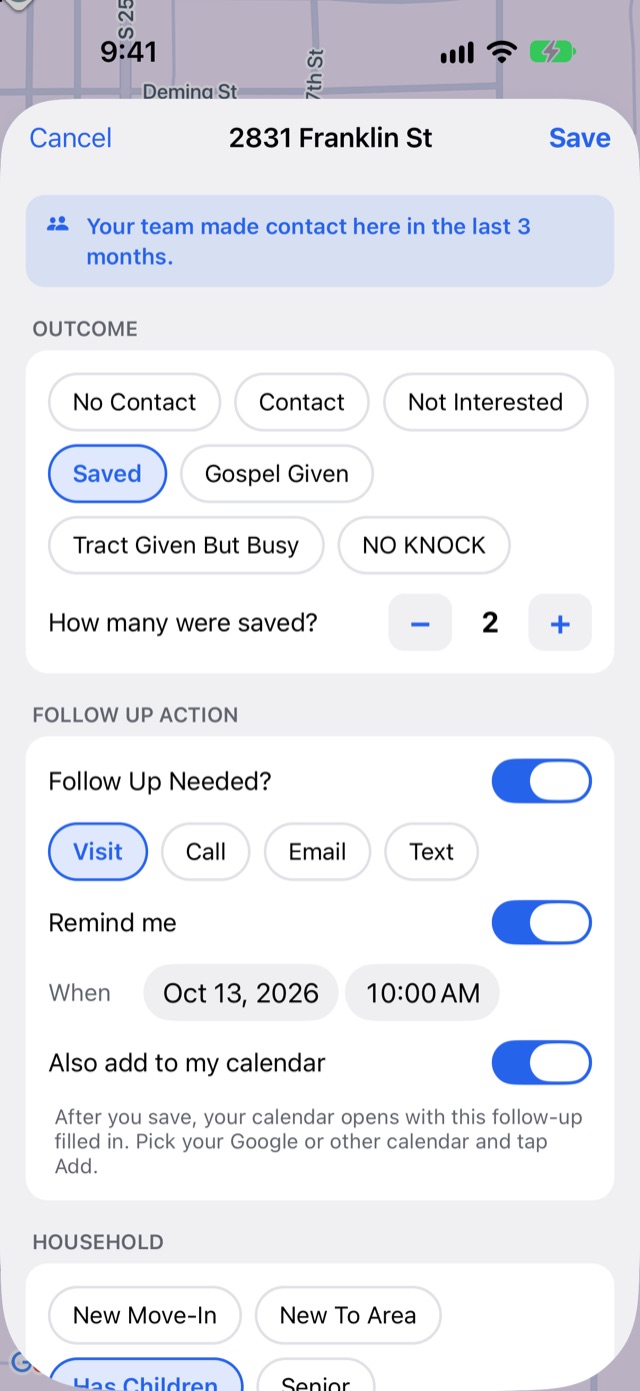
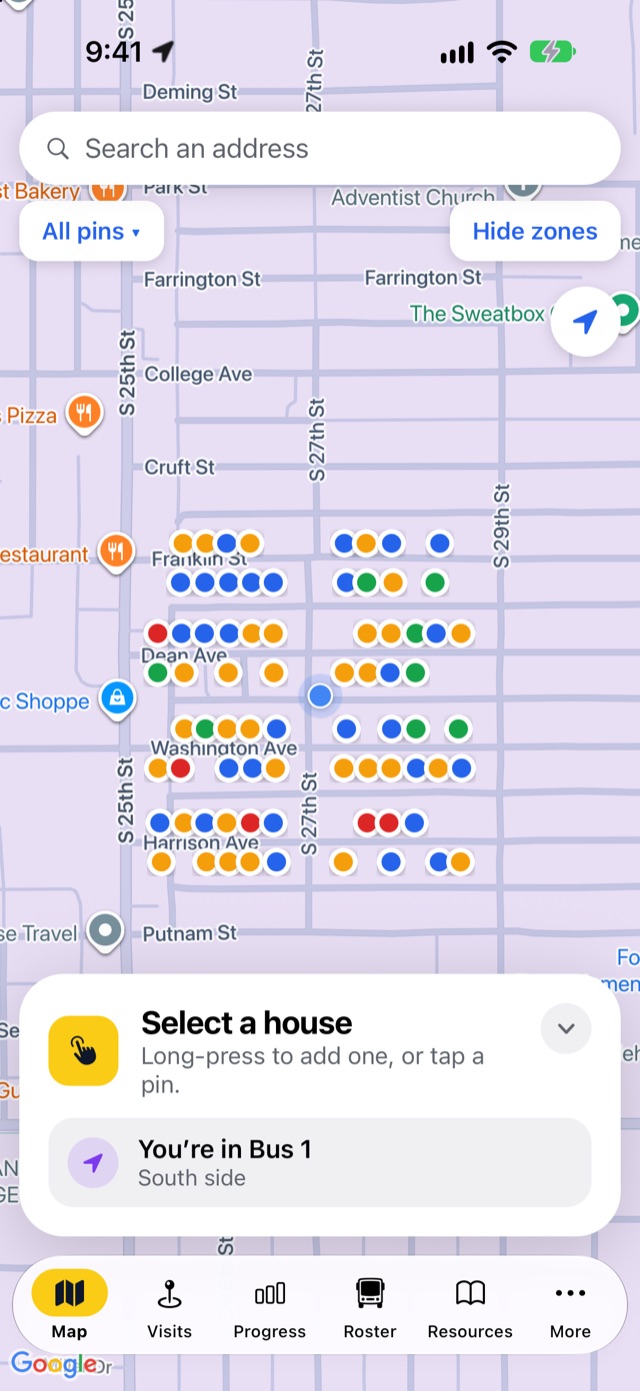
Everything your team needs at the door
No clipboards, no spreadsheets, no guessing who knocked where. One app that every volunteer and rep can learn in minutes.
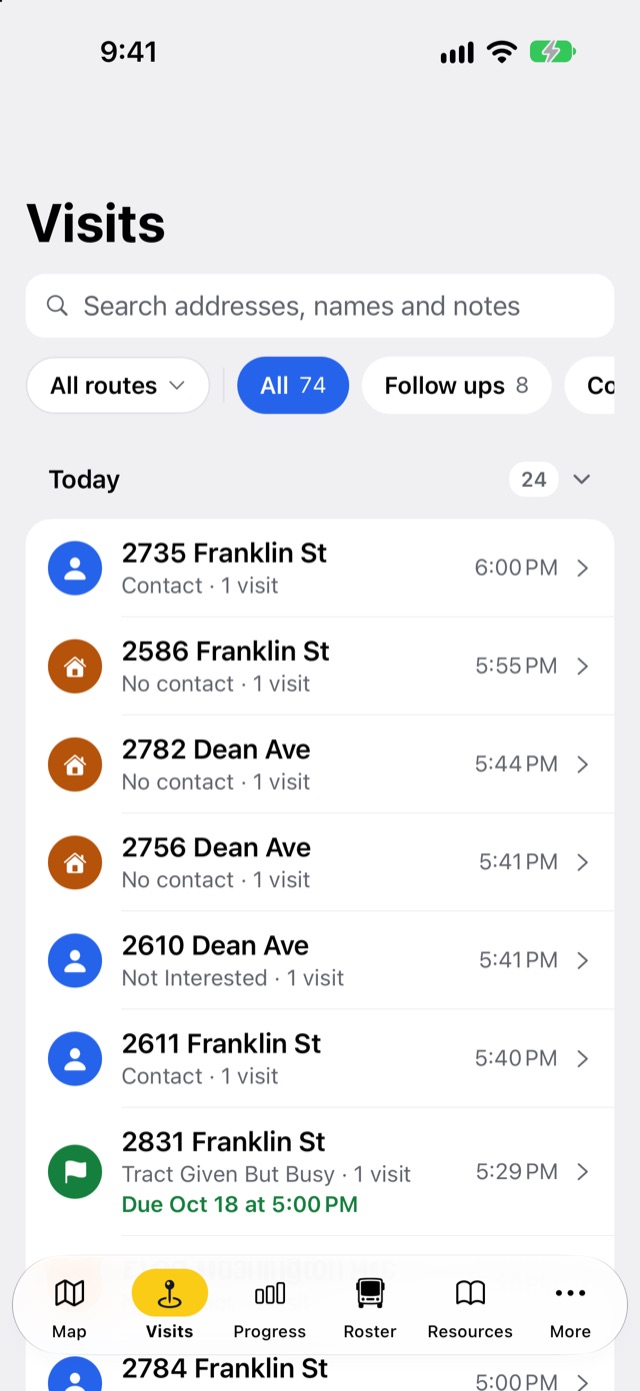
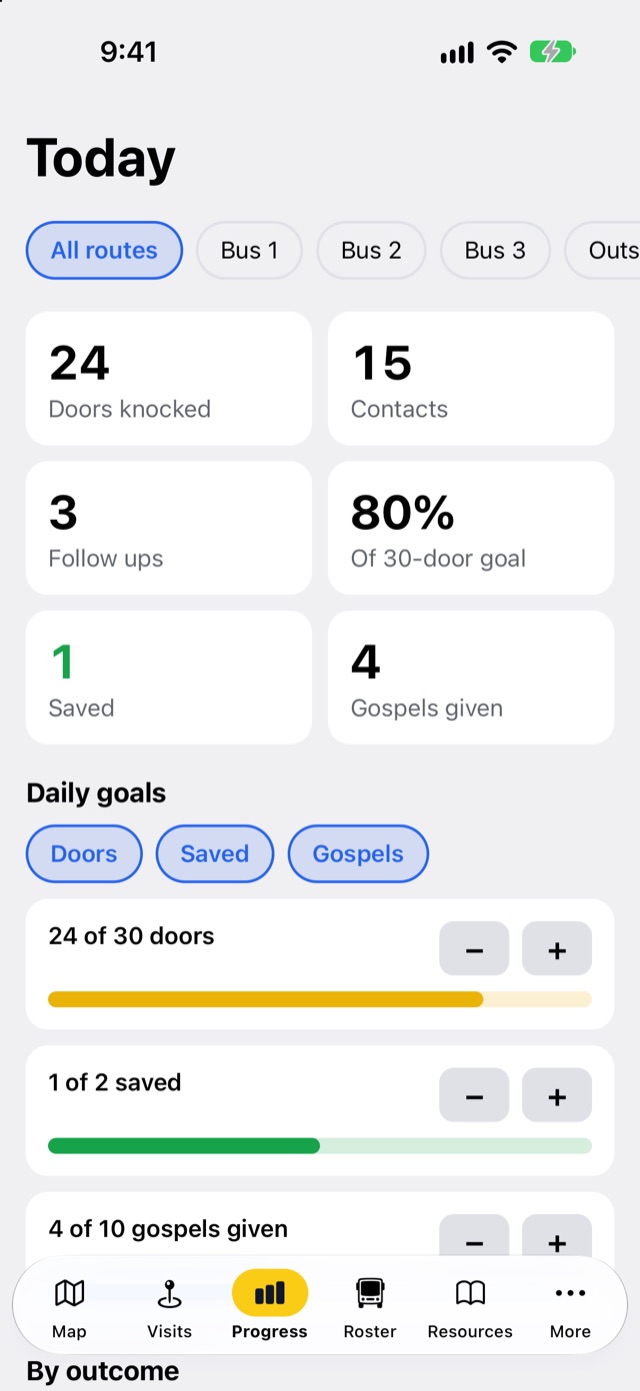
From first knock to follow-up in three steps
Set up your team
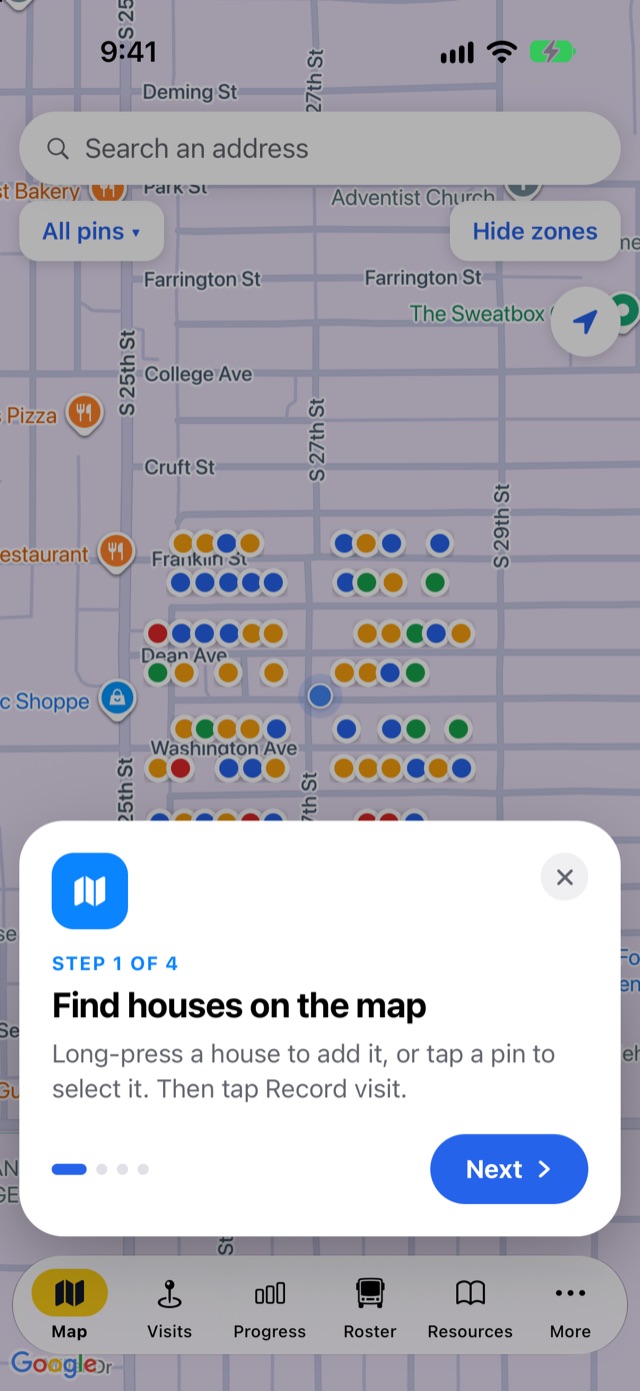
Pick what your team does (church outreach, bus ministry, or sales and canvassing) and draw your areas, routes or territories right on the map.
Invite your people
Share an invite code. Volunteers sign in with their email and see exactly what their role allows: directors everything, leaders their routes, knockers their own visits.
Knock, record, follow up
Every visit lands on the same map, so nobody knocks the same door twice by accident, and every follow-up has an owner and a reminder.
The little things that make a big day of knocking easy
Works without signal
Visits save on the phone and sync to the team the moment there's a connection.
Search any address
Type an address someone gives you and jump straight to it. One tap finds where you are.
One-tap directions
Hand any house or stop to Apple Maps, Google Maps or Waze.
Roles and permissions
Directors, leaders, drivers and knockers each see what they need.
Invite codes
Add a volunteer in seconds. Stop a code whenever you like.
Reminders and alerts
Follow-up reminders on your phone, and ride-request alerts for bus ministries.
Your own tags
Set the interests, household and language tags your team cares about.
iPhone and Android
One app for the whole team, whatever phone they carry.
Sunday's bus route, planned in one tap
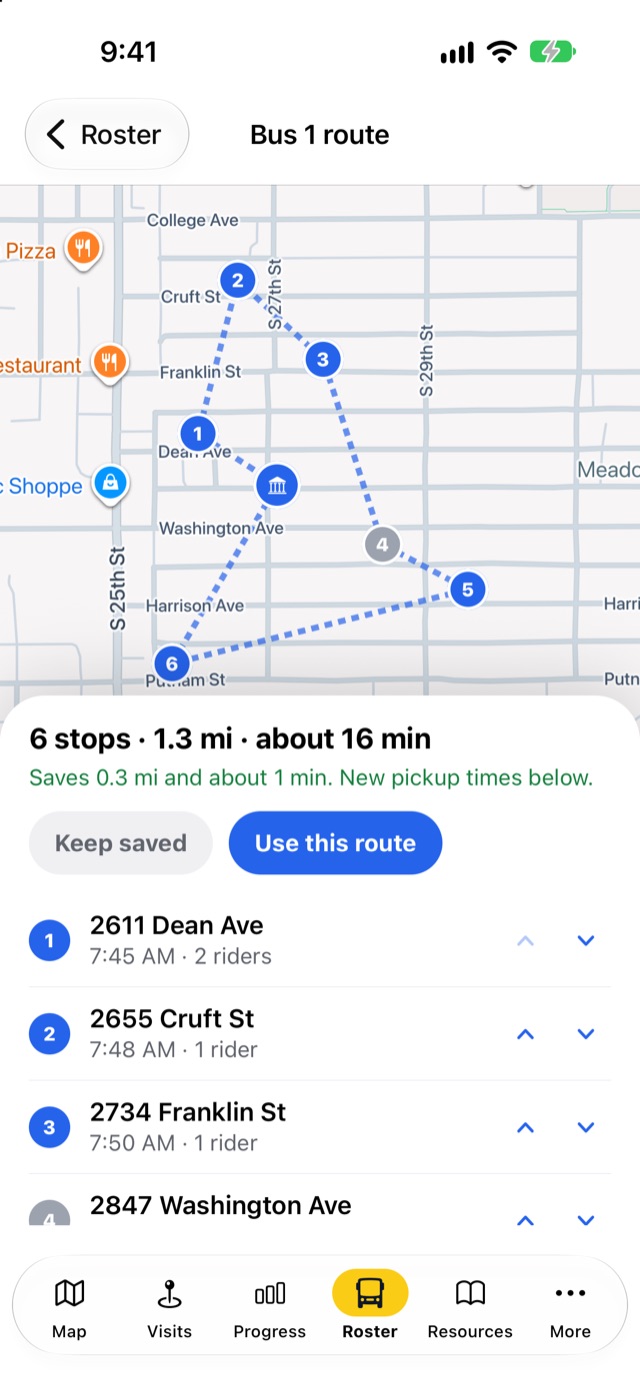
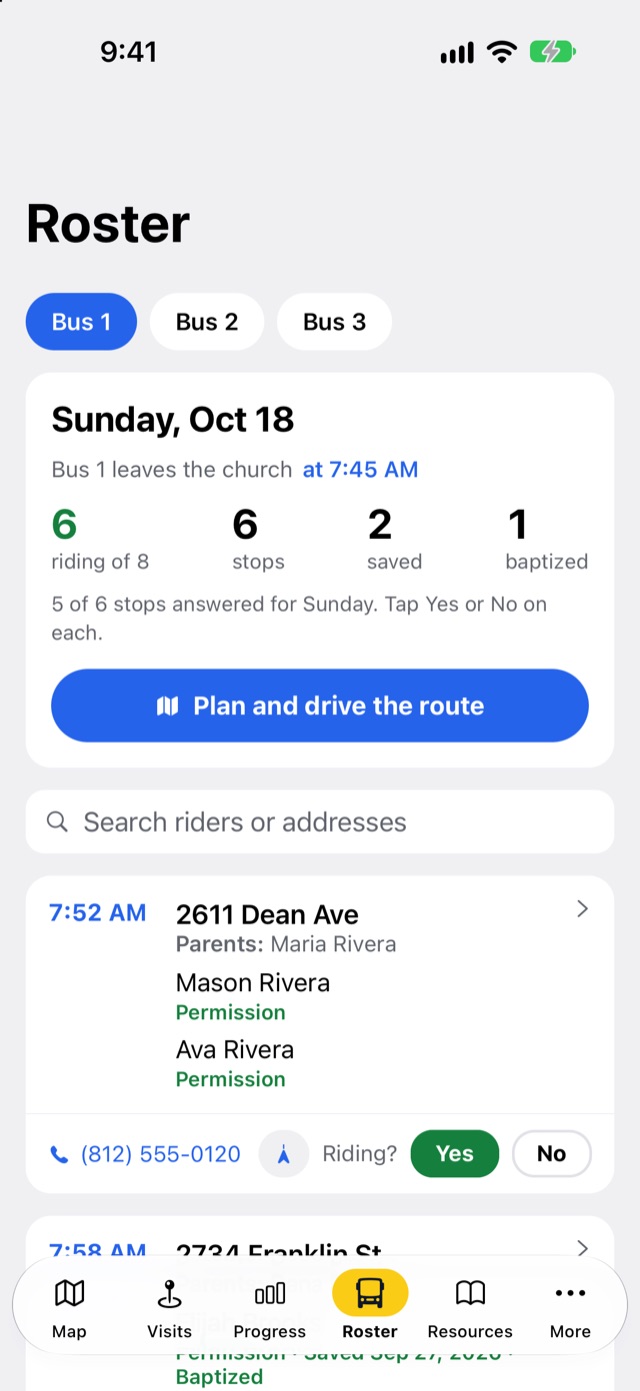
Keep every rider, stop and parent's phone number in one roster per bus. Mark who's riding this Sunday, then let Reachwise put the stops in the shortest order and work out new pickup times.
- Rosters by routeRiders, parents, phone numbers, permission forms, saved and baptized dates.
- Optimized routesOne tap reorders the stops, shows the miles saved and updates pickup times.
- Drivers and ride requestsDrivers see their route; directors and leaders get an alert when a family asks for a ride.
Works with the software you already use
Every door your team knocks can land in your church database, CRM, calendar or email list on its own. Included with every church, campaign and fundraiser plan, and Sales Pro.
Churches
Planning Center, Google Calendar, Mailchimp
Church integrationsSales teams
HubSpot, GoHighLevel, Salesforce, Dynamics 365, Pipedrive, Jobber, AccuLynx, NetSuite
Sales integrationsCampaigns
NationBuilder, CallHub, Mailchimp
Campaign integrationsFundraisers
Mailchimp, Salesforce, HubSpot
Fundraiser integrationsAnd thousands more apps through Zapier.
Knock with care, and keep every promise
Door-to-door work runs on trust. Reachwise helps your whole team honor what each household asks.
No-knock stays red
When a household asks not to be visited, the pin turns red for the whole team and stays red until someone deliberately clears it. The app warns anyone who tries to record another visit there.
Contact details with consent
Phone numbers and emails are saved only when the household offers them and agrees they can be kept.
Private to your team
Each team's information is visible only to its own members, by role. Other teams on Reachwise can't see it.
Free to start. Fair as you grow.
Church teams of up to 9 use Reachwise free. Verified churches pay only what it costs us to run their team.
Text message alerts
Optional texts for the church leaders who arrange rides.
Reachwise can send text message alerts to church team leaders (directors and leaders) who ask for them. For example, when a volunteer's visit notes a family whose children would like a bus ride, the leaders who arrange rides get an alert so they can follow up.
- How to opt in: in the Reachwise app, a team member opens More → Alerts → Text me alerts, enters their own mobile number, turns on "Text me when there's an alert", and taps Save. Texts are only sent to people who do this.
- How often: message frequency varies with the team's activity, usually a few messages a week.
- Cost: message and data rates may apply.
- How to stop: reply STOP to any message, or turn the switch off in the app, at any time. Reply HELP for help, or email mrlittle@littlesventures.com.
- Not required: agreeing to receive texts is not a condition of using Reachwise.
- Privacy: we use your number only to send these alerts. We never sell or share mobile numbers or text-message consent with third parties for marketing.
See our Privacy Policy and Terms.
Frequently asked questions
Is Reachwise on iPhone and Android?
Yes, one app for both. Reachwise is in a pilot with a church bus ministry today and is coming to the App Store and Google Play. Tell us about your team and we'll get you set up.
Does it work without cell signal?
Yes. Visits are saved on the phone and shared with your team as soon as there's a connection, so a dead zone never costs you a door.
Who can see our team's information?
Only your own team, by role. Directors see everything; leaders see their routes, areas or territories; drivers see the rosters they drive; knockers see their own visits. No other team on Reachwise can see your information, and we never sell it.
Can we change the outcomes and tags?
Directors choose the team type, which sets the outcomes (church teams get No Contact, Contact, Not Interested, Saved, Gospel Given, Tract Given But Busy and No Knock; sales teams get Not home, Contact and No knock requested). The interests, household and language tags are yours to edit.
What does it cost?
Church teams of up to 9 are free, and verified churches pay only our cost after that. Sales teams pay per user, on Sales Core or Sales Pro, and campaigns and fundraisers pay one price by team size. See pricing for every plan.
Ready to reach every door?
Start free with up to 9 people. Setting up your team takes a few minutes.