
Built for the way door-to-door teams actually work
Reachwise puts the map, the visit, the follow-up and the team's progress in one place, on every phone, with or without signal.
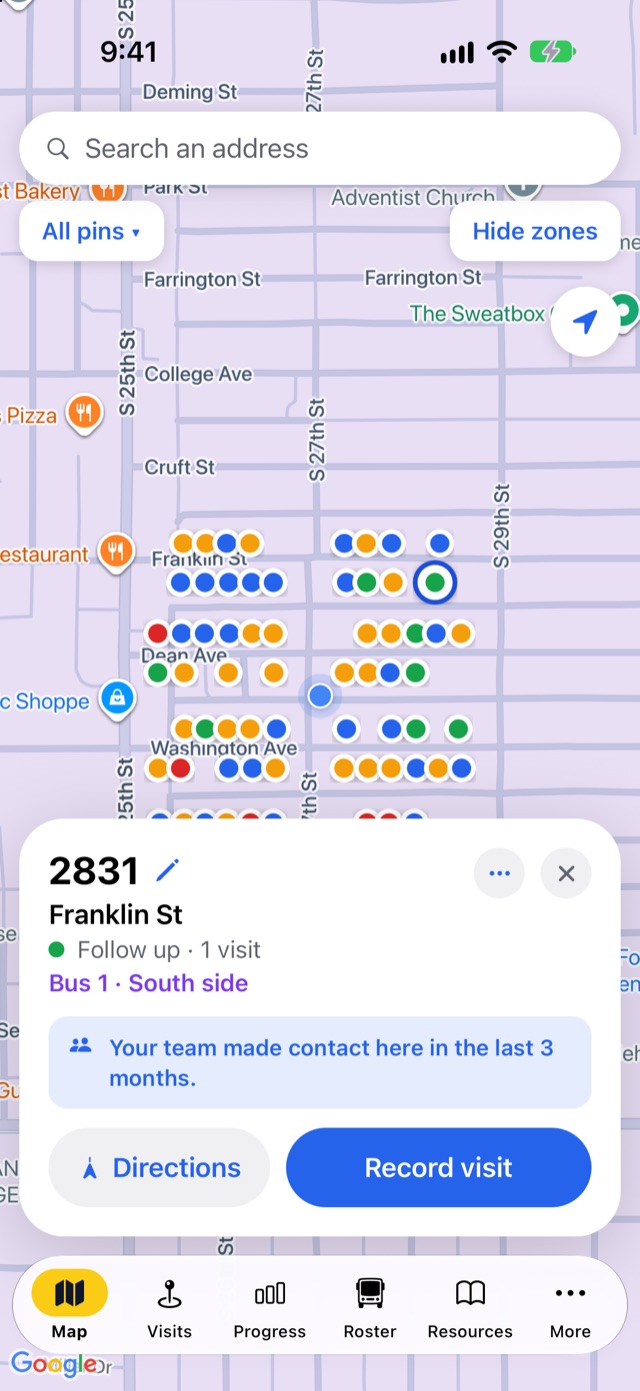
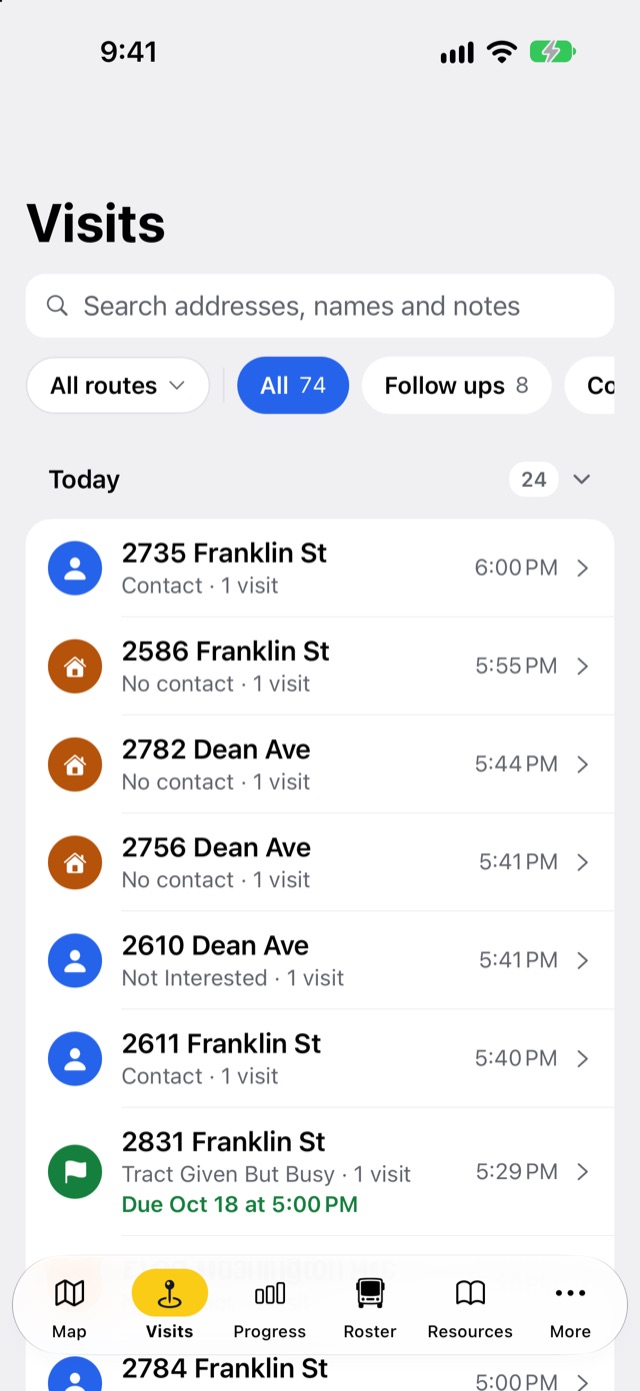
Every house your team touches, on one live map
Pins are colored by what happened last, so anyone can see at a glance where to knock next and where not to.
- Add a house with a long-pressThe street address fills in by itself. Tap the pencil to fix the number for condos and apartment complexes.
- Search any addressSomeone gives you their new address? Type it and jump straight there, then add the house or get directions.
- Find yourself in one tapThe locate button zooms to where you're standing, and the app opens on your location.
- Areas, routes or territoriesDirectors draw them on the map; everyone sees which one they're in. Show or hide them, and filter the pins.
- Notices at the doorThe house card warns about no-knock requests and lets volunteers know the team already made contact in the last three months.
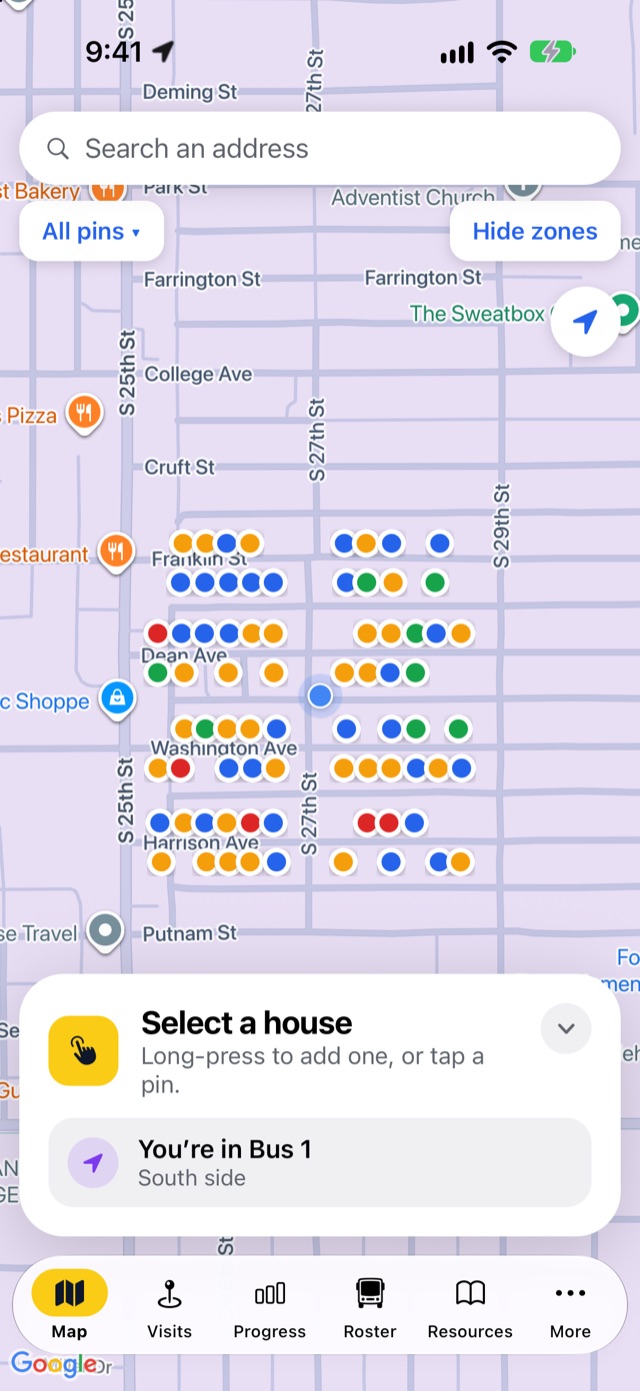
A complete visit record in a few taps
The visit sheet is built for one hand on a doorstep: big buttons, nothing to type unless you want to.
- Outcomes that fit your teamChurches: No Contact, Contact, Not Interested, Saved, Gospel Given, Tract Given But Busy and NO KNOCK. Sales teams: Not home, Contact and No knock requested.
- Count what mattersPick Saved or Gospel Given and the app asks how many.
- Follow Up Needed?Flip it on to choose Visit, Call, Email or Text, set a reminder, and add it to your calendar.
- Your tagsHousehold, interests and languages, with lists your directors can edit.
- Contact info with consentSave a phone number or email only when the household offers it and agrees.
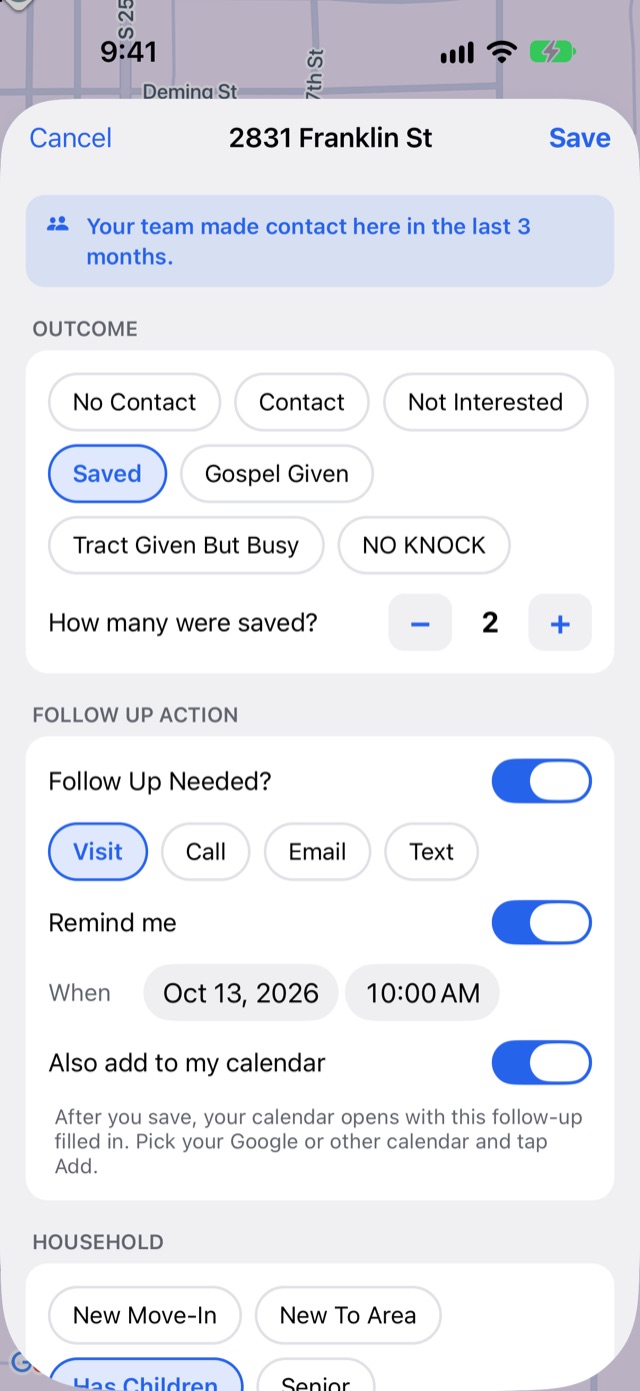
Every visit, every day, searchable
The Visits tab groups houses by the day they were visited and puts the follow-ups that are due right where you'll see them.
- Search everythingAddresses, names, notes, tags, outcomes and who recorded them.
- Only follow-upsOne tap filters to the houses that need a call, text, email or visit, with due dates.
- Each house's historyEvery visit at a house, plus Call, Email and Text buttons and an add-visit button.
- Reminders on your phoneSet a date and time and the app reminds you, even when it's closed.
Goals that keep the whole team moving
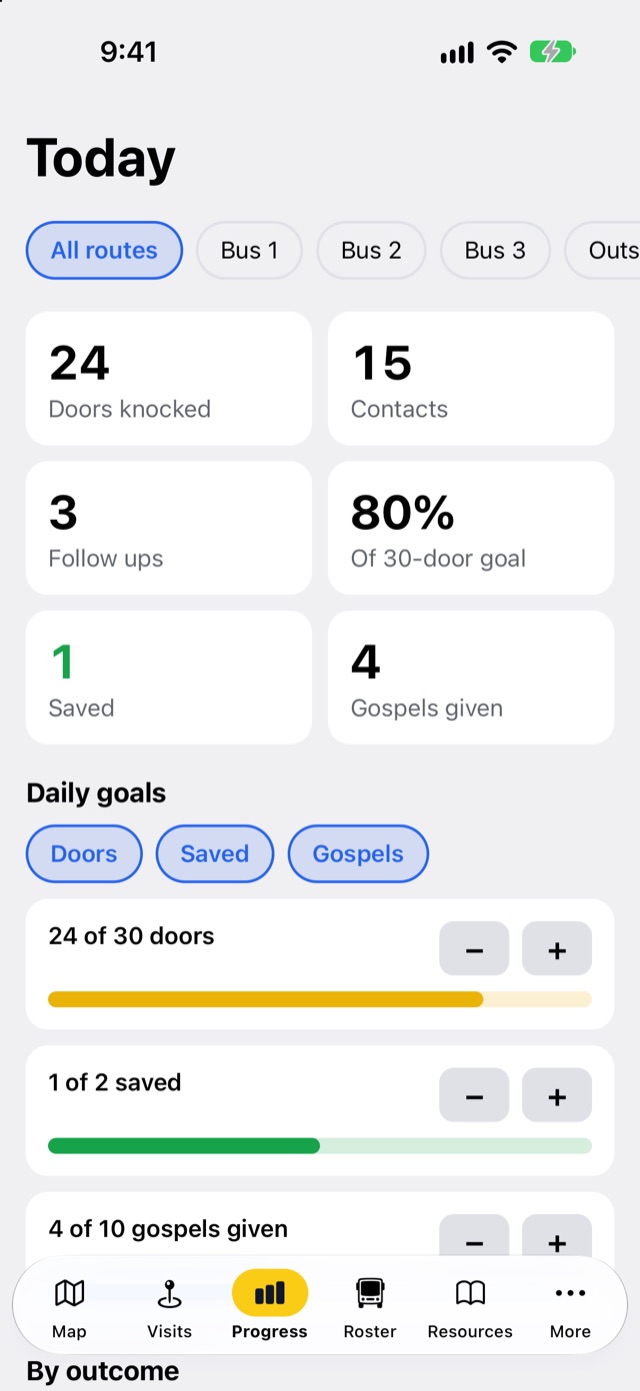
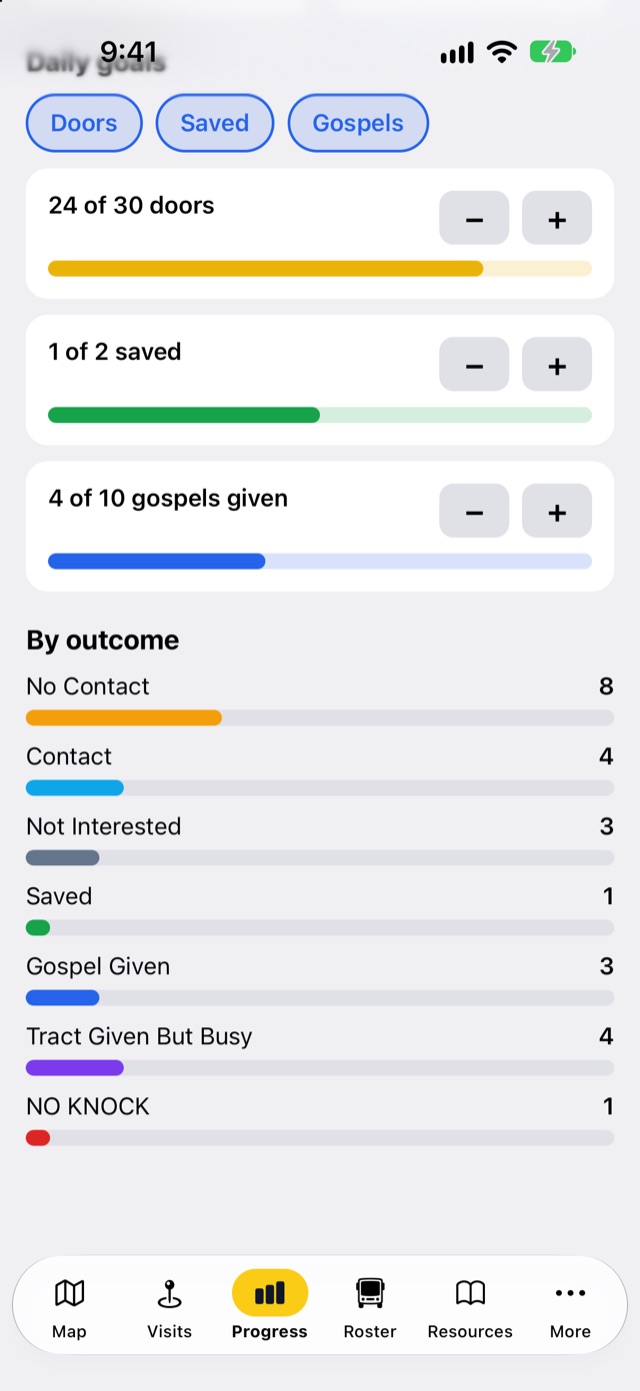
See today's numbers as they happen, set daily goals, and break the results down by outcome and by route.
- Today at a glanceDoors knocked, contacts, follow-ups and percent of the daily door goal.
- Goals for what you care aboutDoors, and for church teams, how many were saved and how many gospels were given.
- By outcome and by routeBars for every outcome, and filters for each area, route or territory.
Rosters, Sunday riders and routes that plan themselves
Built with a working church bus ministry, for the Saturday knocking and the Sunday-morning rush.
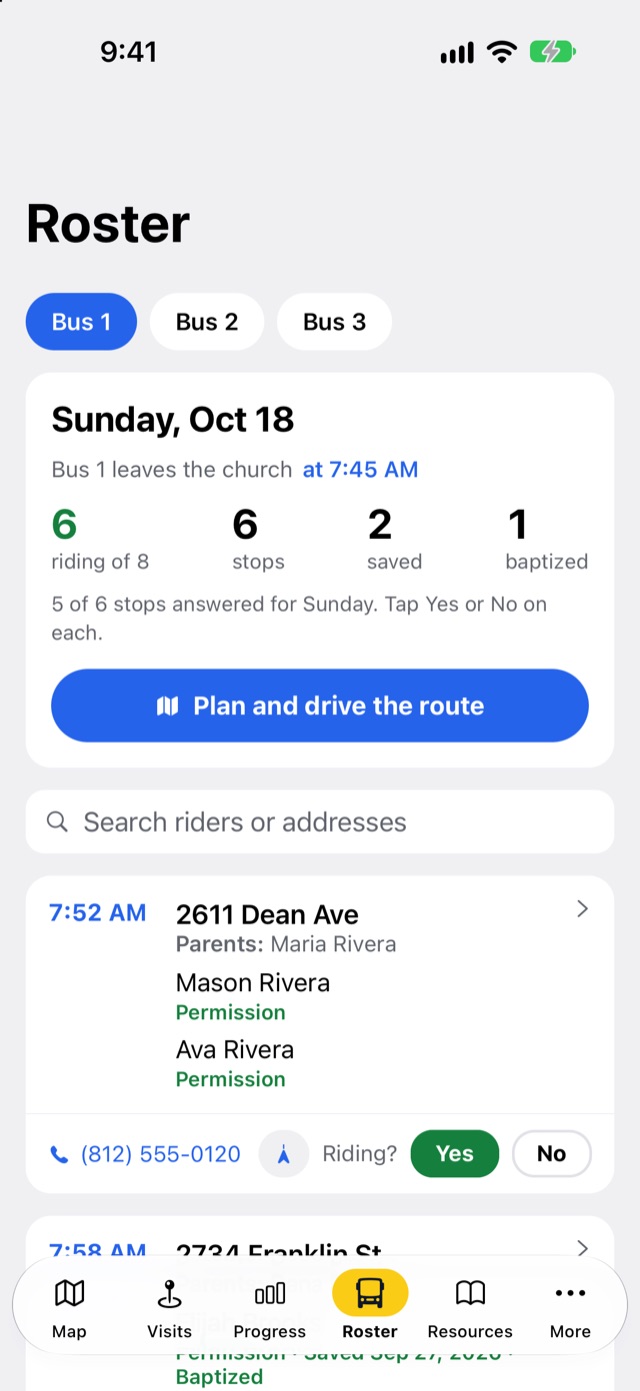
- A roster for every busStops with pickup times and notes; riders with parents, phone numbers, birthdays, permission forms, and saved and baptized dates.
- Who's riding Sunday?Tap Yes or No for each stop and watch the riding count add up.
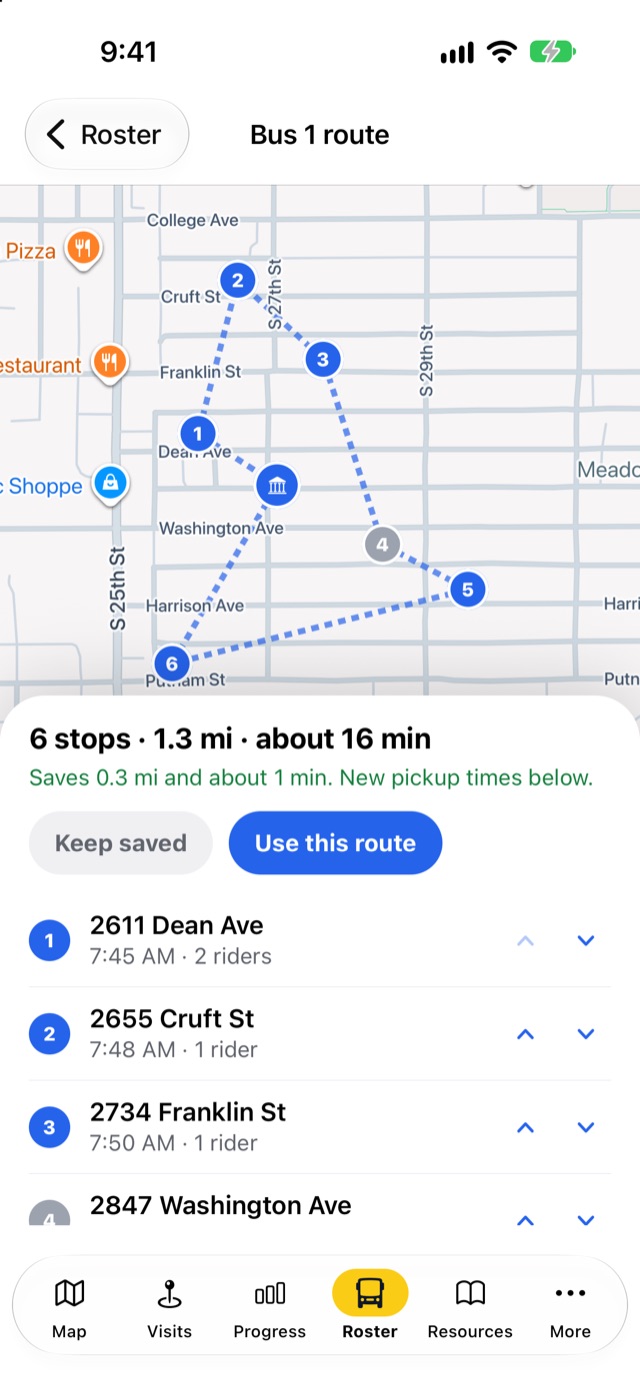
- Plan and drive the routeOptimize the stop order in one tap, see the miles and minutes saved, get new pickup times, then drive it stop by stop with your maps app.
- DriversA driver role that sees the rosters of the routes they drive, and nothing else.
- Ride requestsWhen a visit notes children who want a bus ride, the bus director and that route's captains get an alert, in the app and by text if they opt in. Van rides go to directors.
Plan the walk. Book the meeting.
Knocking routes for every team, and appointments for sales, campaign and fundraising teams.
Planned knocking routes
Leaders plan a route for anyone, and anyone can plan their own: tap houses on the map, or add every follow-up, every house where nobody answered, or the houses on their streets. One tap puts the doors in the shortest walking order. Reps follow it one door at a time, with walking directions, and each visit ticks a door off.
Appointments
For sales, campaign and fundraising teams: book a time with a household right from the visit, hand it to a closer, and get a reminder an hour before. Directions, call, text, reschedule, done or no-show, all from the appointment. Church teams keep the app simple without them.
Everyone sees what they need, and nothing they shouldn't
Reachwise uses your team's own words: church, area and soul winner for outreach; route and route captain for bus ministries; company, territory and rep for sales.
Directors
Set up the team, draw areas, manage members and roles, edit tags, and see everything.
Captains and team leads
See the visits and progress for the routes or territories they look after.
Drivers
On church teams: see the rosters for the routes they drive and mark who's riding.
Knockers and reps
Record visits, see their own visits and progress, and get their own reminders.
Everything included, on every plan
Works offline
Record visits in dead zones; the app syncs when you're back in signal. A team-wide no-knock request always wins a sync conflict.
Directions anywhere
Send any house or bus stop to Apple Maps, Google Maps or Waze.
Invite codes
Directors and captains share codes to add people, and stop them anytime.
Alerts
Ride-request alerts in the app, with optional text messages for leaders.
Built-in tour
A four-step tour and tips in the Resources tab teach new volunteers in minutes.
Several teams
Belong to more than one team and switch between them in More.
Privacy built in
Each team's data is separate, households can ask to be deleted, and anyone can delete their account in the app.
iPhone and Android
One app, both phones, with light and dark mode.
No passwords
Volunteers sign in with a one-time code sent to their email. Nothing to forget, nothing to reset.
See it on your own streets
Start free with up to 9 church volunteers, or try any business plan free for 14 days.