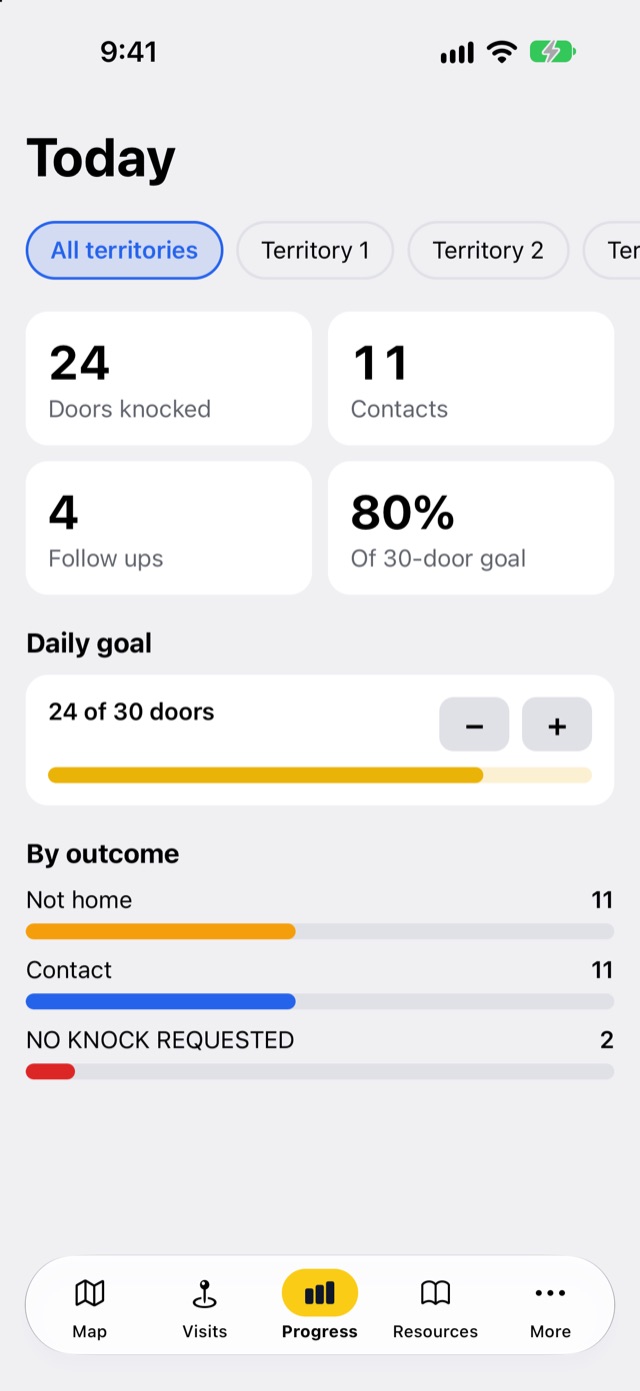
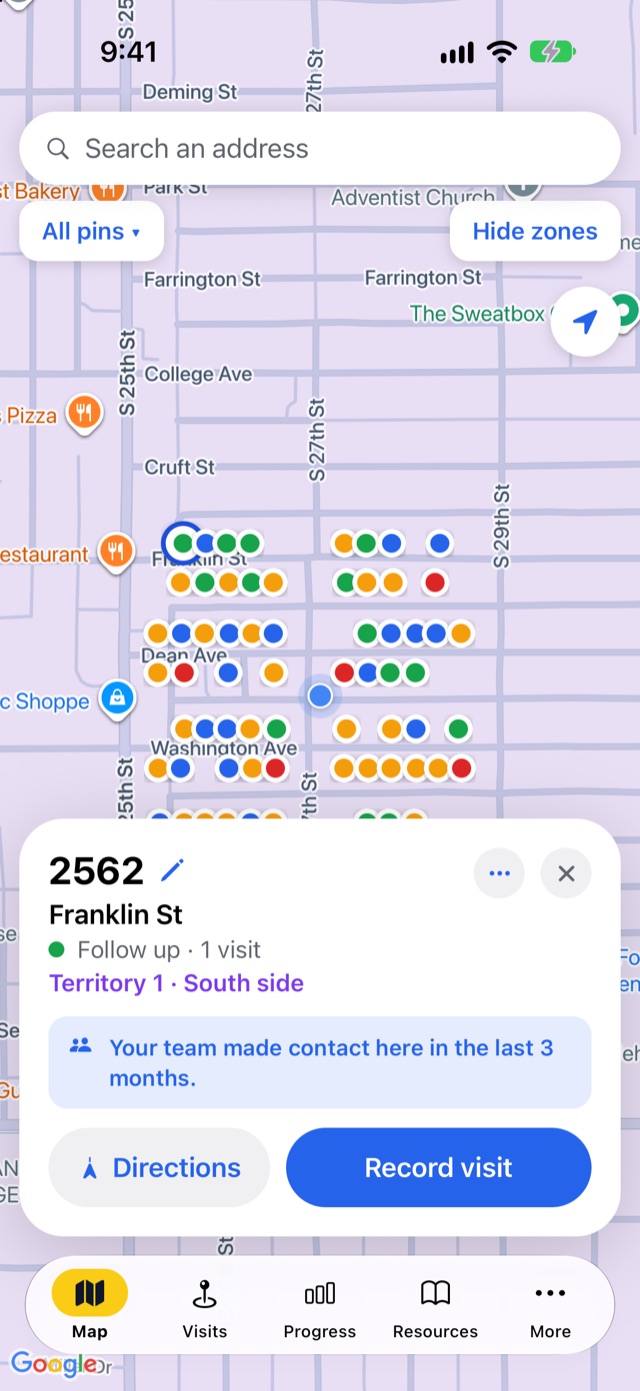
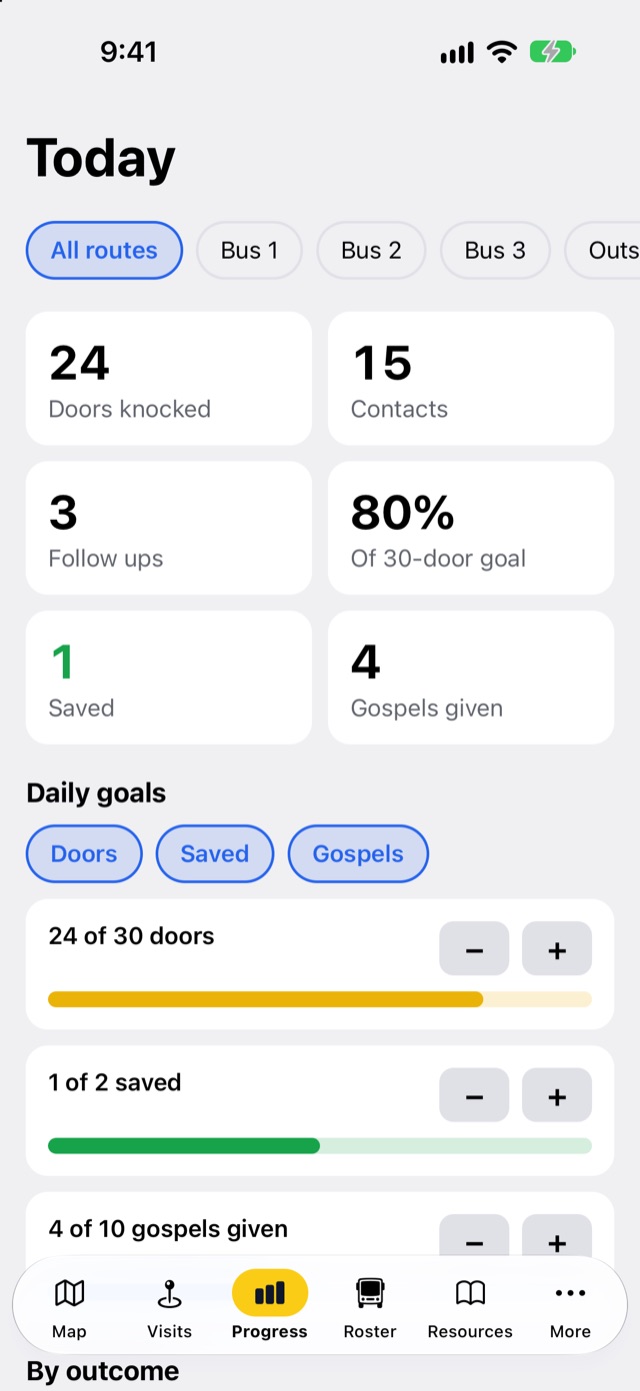
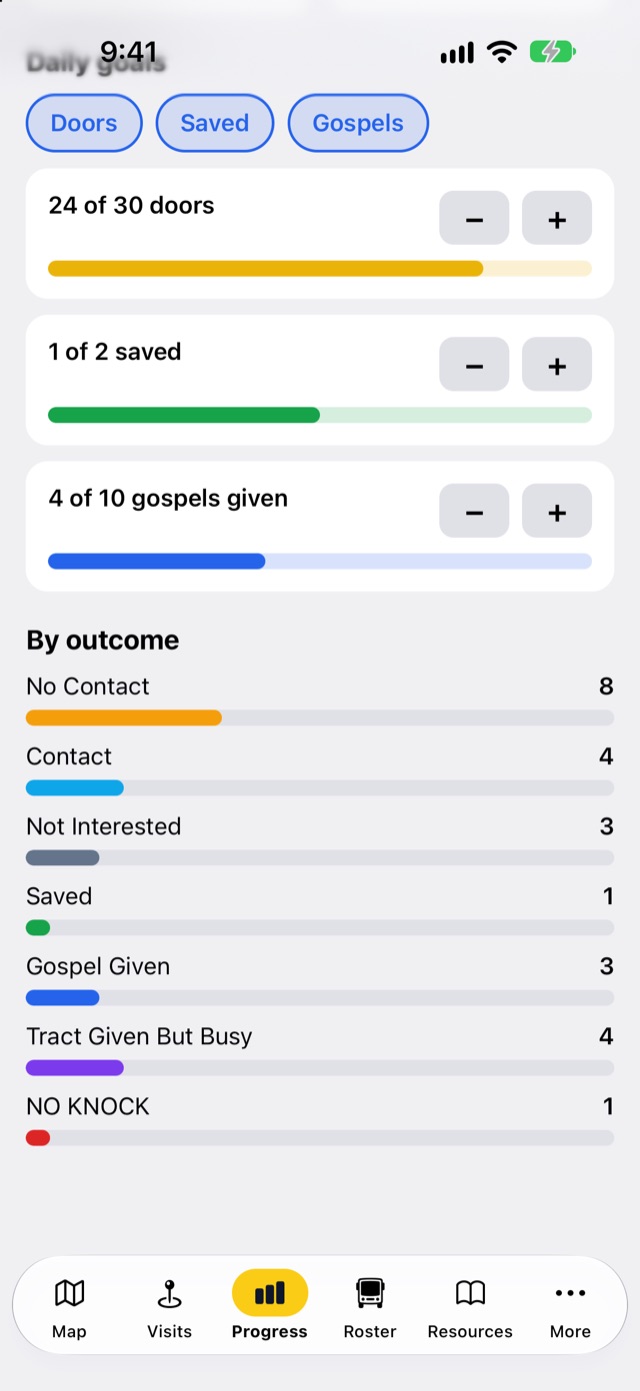
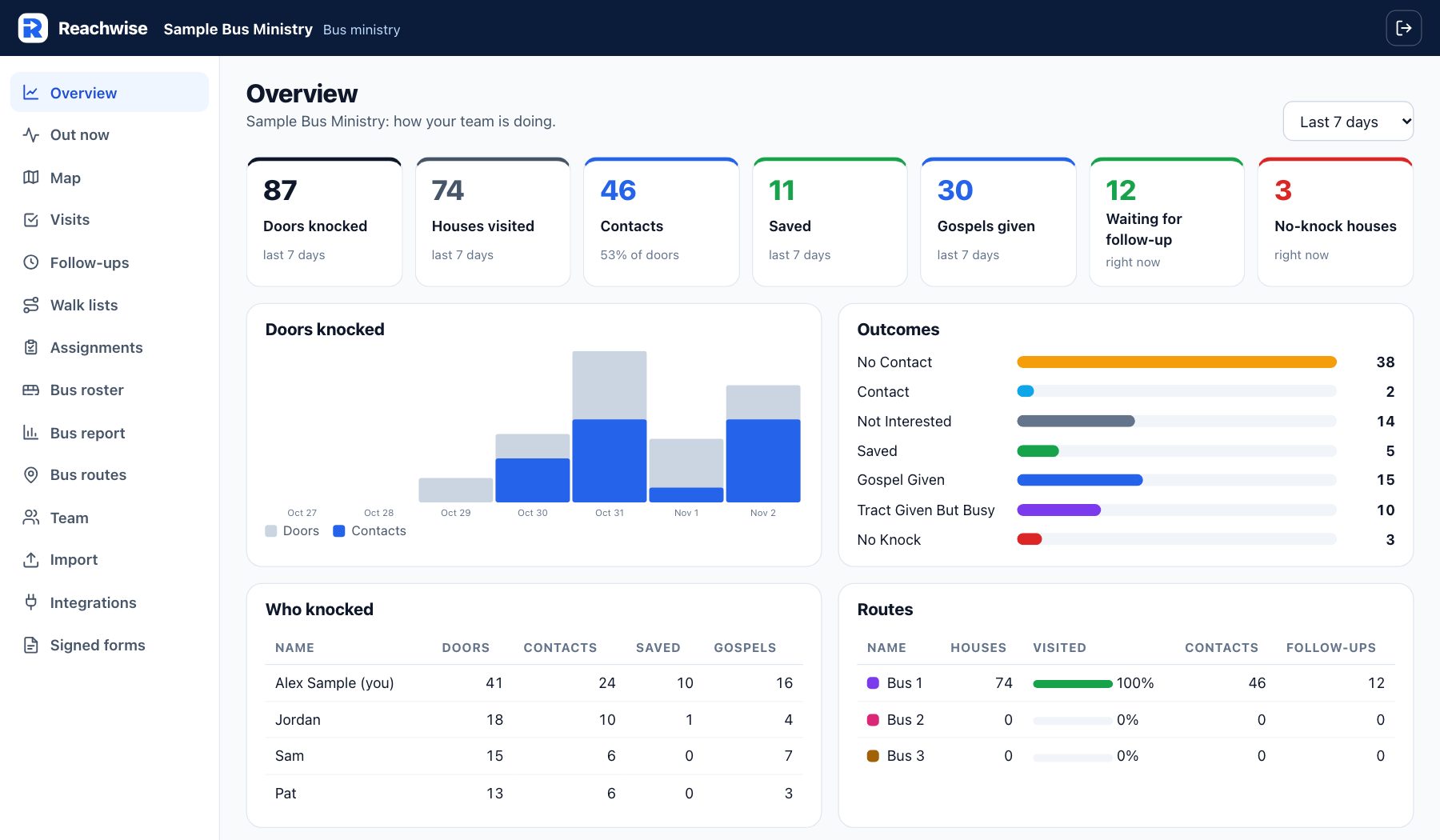
Directors run the whole team from the web or the app. Leaders keep their own routes and territories moving. Drivers see their bus, and knockers see the next door. Each person gets only what their job needs, so you see everything and nobody you send out gets buried in it.
iPhone and Android app Web dashboard on any computer Installs on Mac and Windows
Directors: the whole team
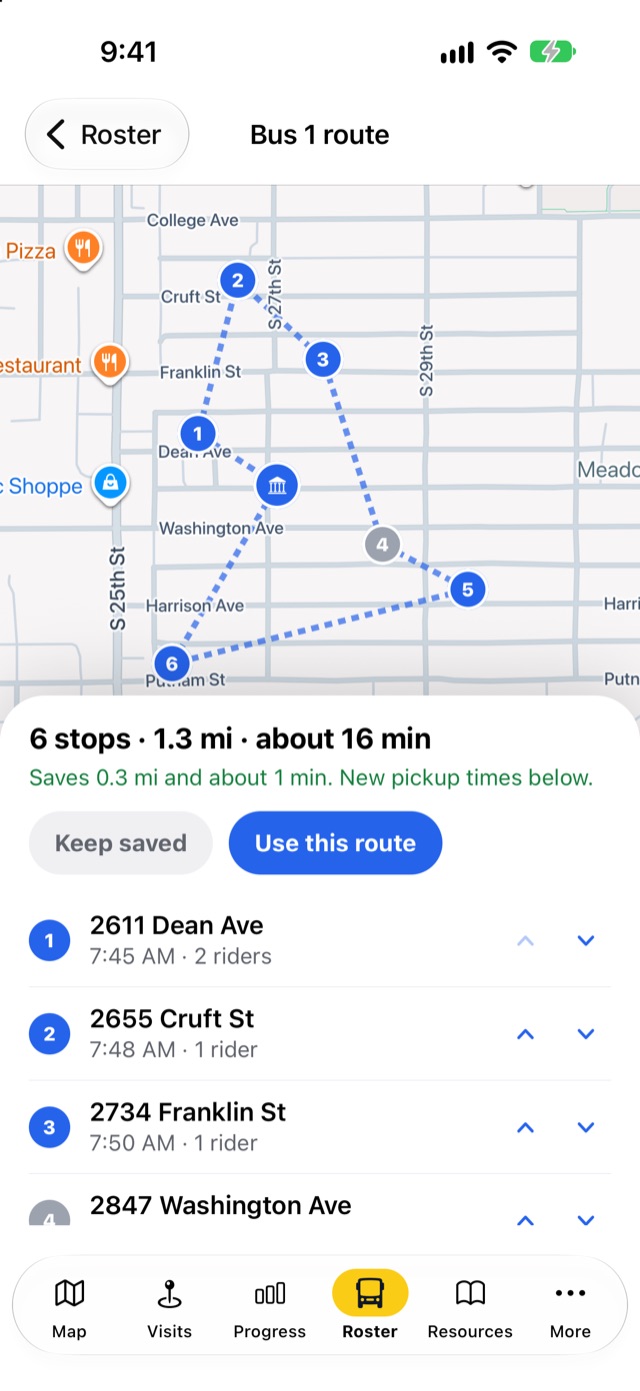
Drivers: their bus
Knockers: the next door
Four roles, one team
Each person opens the app to their own job
Everyone joins with an invite code that sets their role. From then on, Reachwise shows them their part of the work, in your team’s own words.
Focused by design
What each person gets, and what stays out of their way
The people you send out see their task, not your whole operation. You still see all of it.
Directors
Pastors, bus directors, sales managers and campaign managers: whoever runs the team.
Every door, visit, follow-up and appointment, live
Progress, goals and leaderboards for the whole team
The routes, territories or areas, and who leads each one
Roles, invite codes and who’s out knocking right now
Every bus’s roster, runs and Monday report
Integrations, team settings and billing
In the app and on the web dashboard
Leaders
Route leaders, area leaders, team leads and crew leads, each over the part of the map a director gives them.
Visits and progress for their routes or territories
Walk lists they plan for anyone, and visits to hand out
Invite codes to bring people onto the team
Alerts for their part of the map, like a family asking for a bus ride
Their bus’s roster and Monday report, on bus ministries
Out of their way: other leaders’ routes and territories, team settings and billing.
In the app and on the web dashboard
Drivers
Bus drivers on church teams. Between runs, they knock doors like anyone else.
The rosters of the routes they drive
Each run’s stops in the quickest order, with pickup times
Directions to every stop in Apple Maps, Google Maps or Waze
On bus or Absent for each child, even without signal
Their own visits and follow-ups, like a knocker
Out of their way: every other bus’s riders, the team’s visits and its settings.
In the app
Knockers
Reps, soul winners, volunteers and canvassers: the people at the doors.
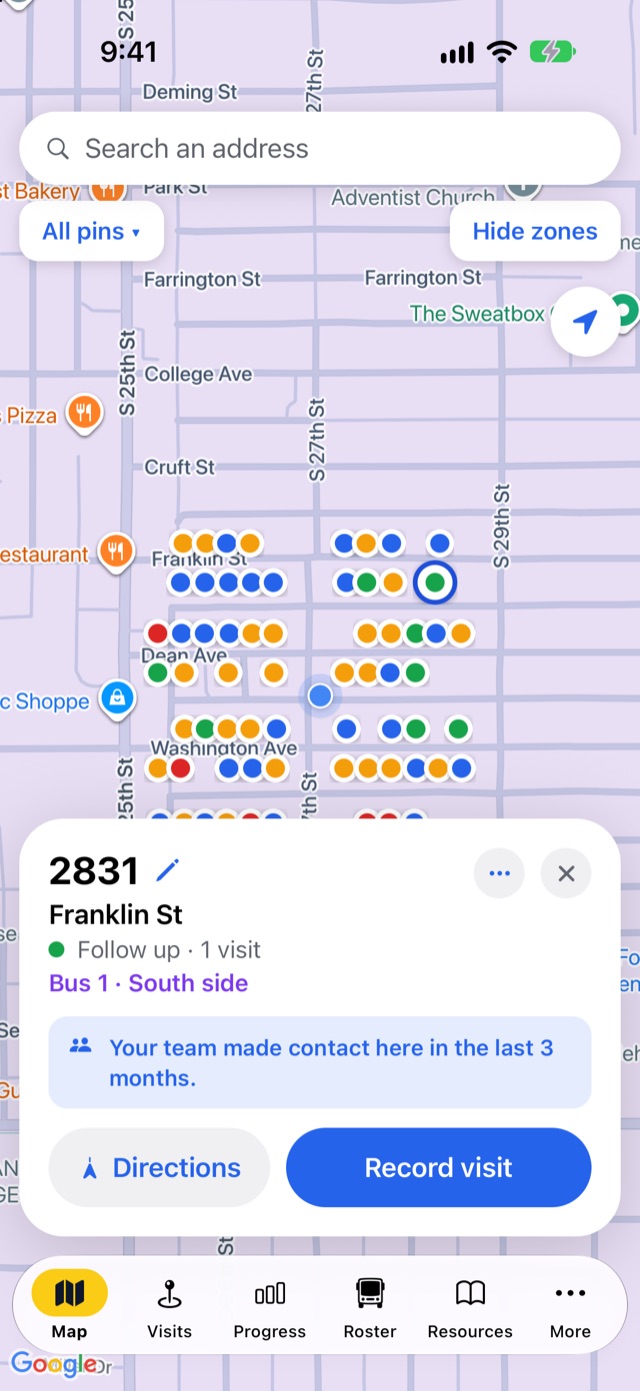
One map of every door, so nobody knocks a house twice
Just their home route or territory outlined, when a director gives them one
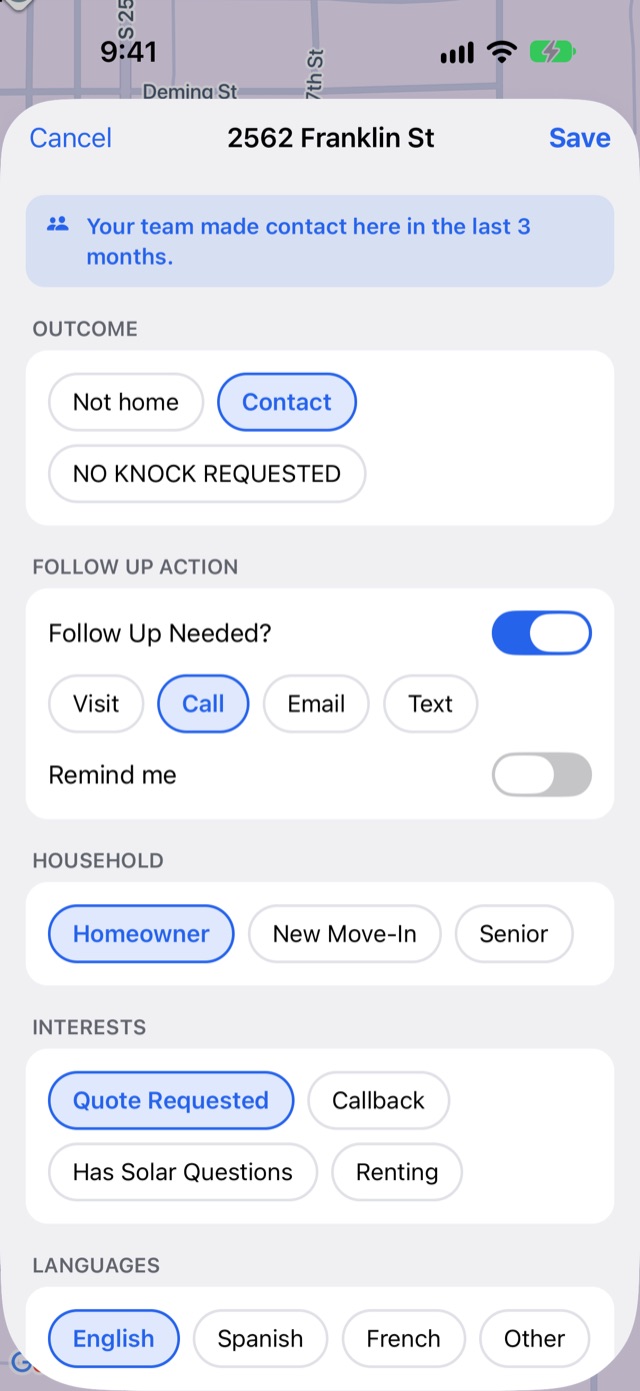
Two taps to record what happened at the door
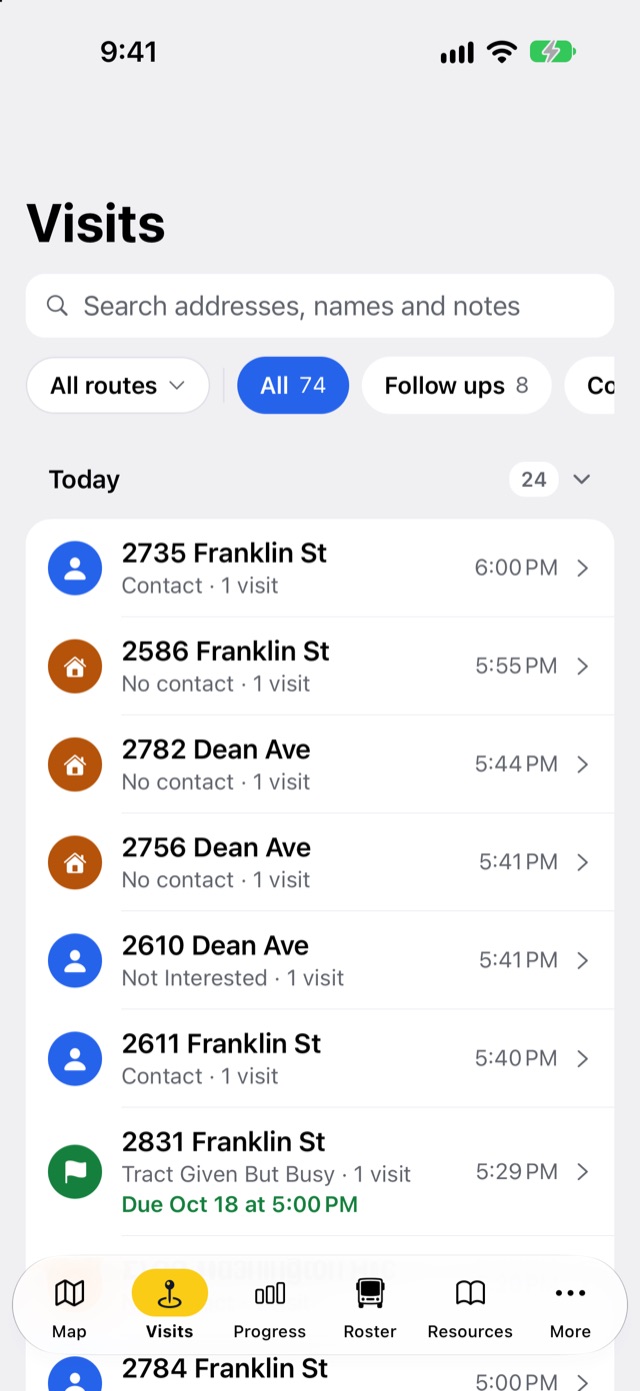
Their own visits, follow-ups and daily goals
The walk lists and visits a leader gives them, one door at a time
An alert when there’s a new job for them
Out of their way: everyone else’s visits and lead details, team settings and billing.
In the app
Simple at the door
Nothing on their phone they don’t need
Someone who has never opened the app can knock their first door in minutes. Their screen shows the next house, not the whole operation.
One code to joinA director or leader shares an invite code. Whoever types it in lands on the right team, in the right role.
No passwordsThey sign in with a code sent to their email.
They know when there’s a job for themAn alert when they’re put on a route, made its leader or given visits to make.
Learned on the app’s own screensA four-step tour and step-by-step tutorials get new people knocking in minutes.
Works where signal doesn’tVisits, bus answers and attendance save on the phone and send when there’s signal again.
For the people running the team
Manage the whole team from your computer
Directors and leaders sign in at reachwise.org with the email they use in the app. It’s the same team with the same access, on a big screen. Install it, and it opens like any other app on your Mac or Windows PC.
reachwise.org/manage
An app on your computerClick Install app in Chrome or Edge, or in Safari choose File, then Add to Dock. It opens in its own window from your Dock, taskbar or Start menu.
Always the same teamA change on the web shows up in the app, and the other way round.
Planning on a big screenDraw routes and territories on a full-size map, bring in a spreadsheet, and plan the week’s walk lists and visits.
Overview
Today, this week or this month, with each route or territory’s coverage.
Out now
Who’s knocking right now, and the last door each person knocked.
Map
Every door, colored by what happened there.
Follow-ups
Every callback and return visit, by when it’s due.
Walk lists and assignments
Plan the day’s doors and hand out visits.
Bus roster and report
Every bus’s stops, riders and Monday report.
Team
Roles, leaders, home routes and invite codes.
Integrations
Planning Center, your CRM, your calendar and your email list.
A director picks each person’s role and can change it anytime. Their phone follows within a minute.
What
Directors
Leaders
Drivers
Knockers
The map of every door
Yes
Yes
Yes
Yes
Visits and progress
Everyone’s
Their routes or territories
Their own
Their own
Walk lists
Plan for anyone
Plan for anyone
Their own
Their own
Hand out visits
Yes
Yes
–No
–No
Bus rosters
Every bus
Their routes
The routes they drive
Only stops given to them
Plan and drive a bus run
Yes
Yes
Yes
–No
Invite codes
Yes
Yes
–No
–No
Roles, routes and team settings
Yes
–No
–No
–No
Integrations and billing
Yes
–No
–No
–No
Getting started
Your team, set up in an afternoon
Start your team
Choose the kind of team you are. Reachwise sets its words, its visit buttons and its tools to match.
Draw your map
Draw your routes, territories or turfs on the map, and give each one a leader.
Share a code
Make an invite code for each role. People type it into the app and join in that role.
Send them out
Everyone opens the app to their part, and you watch the day come together on the web.
Need to know, built in
Each person sees only what their job needs
Children’s details stay with their bus
A child’s roster details are seen only by directors and the leaders and drivers of that child’s route.
Lead details stay with leaders
Lead details and photos are for directors and leaders. A knocker sees them only on a visit they’ve been given, while it’s open.
Changes reach every phone
Change someone’s role, or the routes they lead or drive, and their phone follows within a minute.
Team questions
Who counts as a user?
Anyone who joins your team in the app: directors, leaders, drivers and knockers. The households you visit, bus riders, voters and donors never count.
Does everyone need a computer?
No. Everyone can do their job in the app on iPhone or Android. The web dashboard is there for whoever wants a big screen, usually directors and leaders planning the week.
Does the web dashboard cost extra?
No. It comes with every plan, the free one for small church teams too.
Can leaders and drivers still knock doors?
Yes. Leaders and drivers record visits like anyone else. Their role adds to what they see; it doesn’t take anything away.
How do I change someone’s role?
A director opens Team, on the web or in the app, and picks the new role. The person’s phone follows within a minute, without signing in again.
Which computers does the dashboard work on?
Any computer with an up-to-date browser. On a Mac or a Windows PC you can install it as an app with its own window, and on an iPad you can add it to your Home Screen.
What does a new knocker need?
The Reachwise app on their phone and your team’s invite code. A four-step tour shows them the rest.
Give everyone on your team just their part
Free for church teams of up to 9 people. Every sales, campaign and fundraiser plan starts with a 14-day free trial.